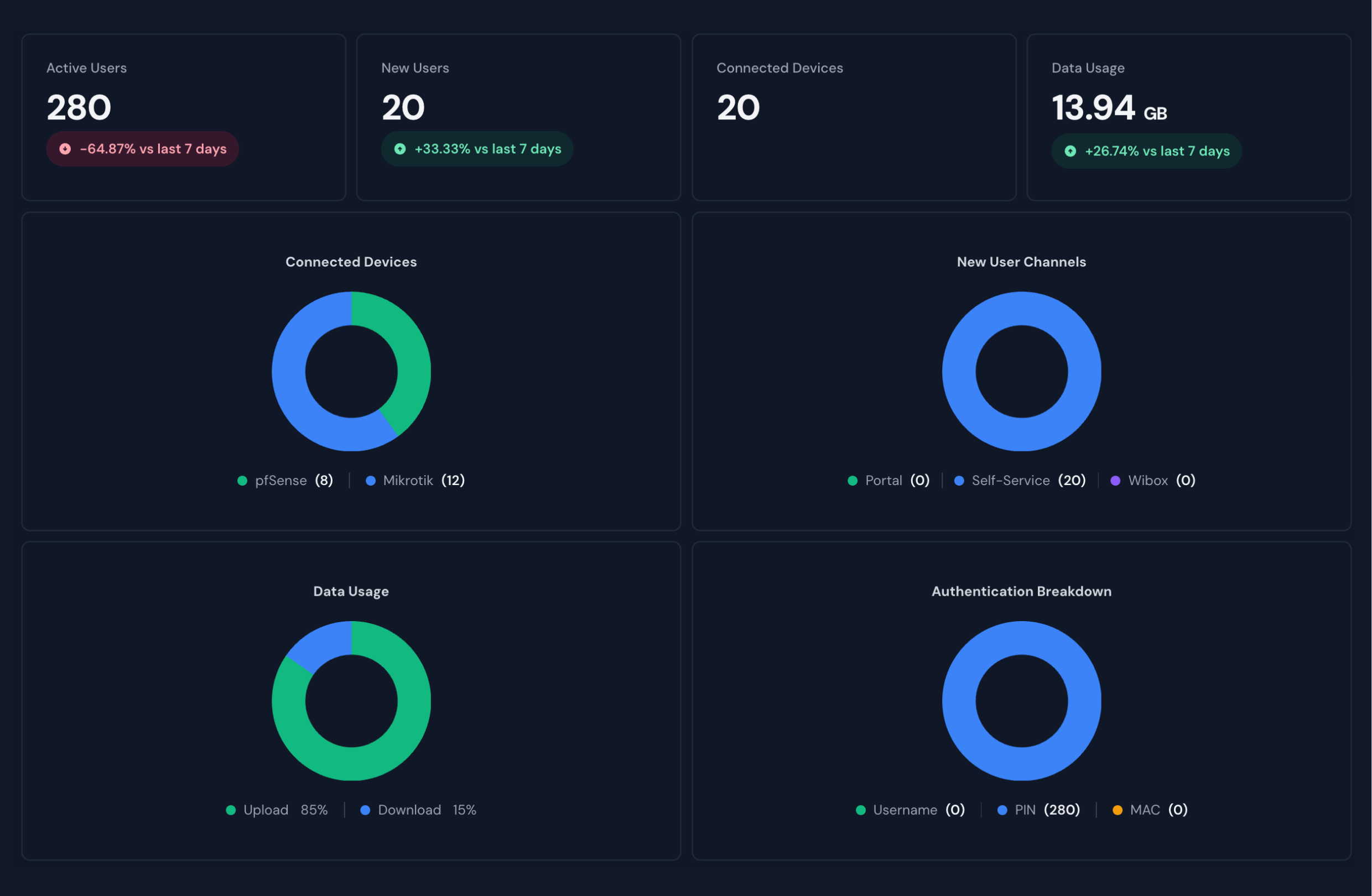
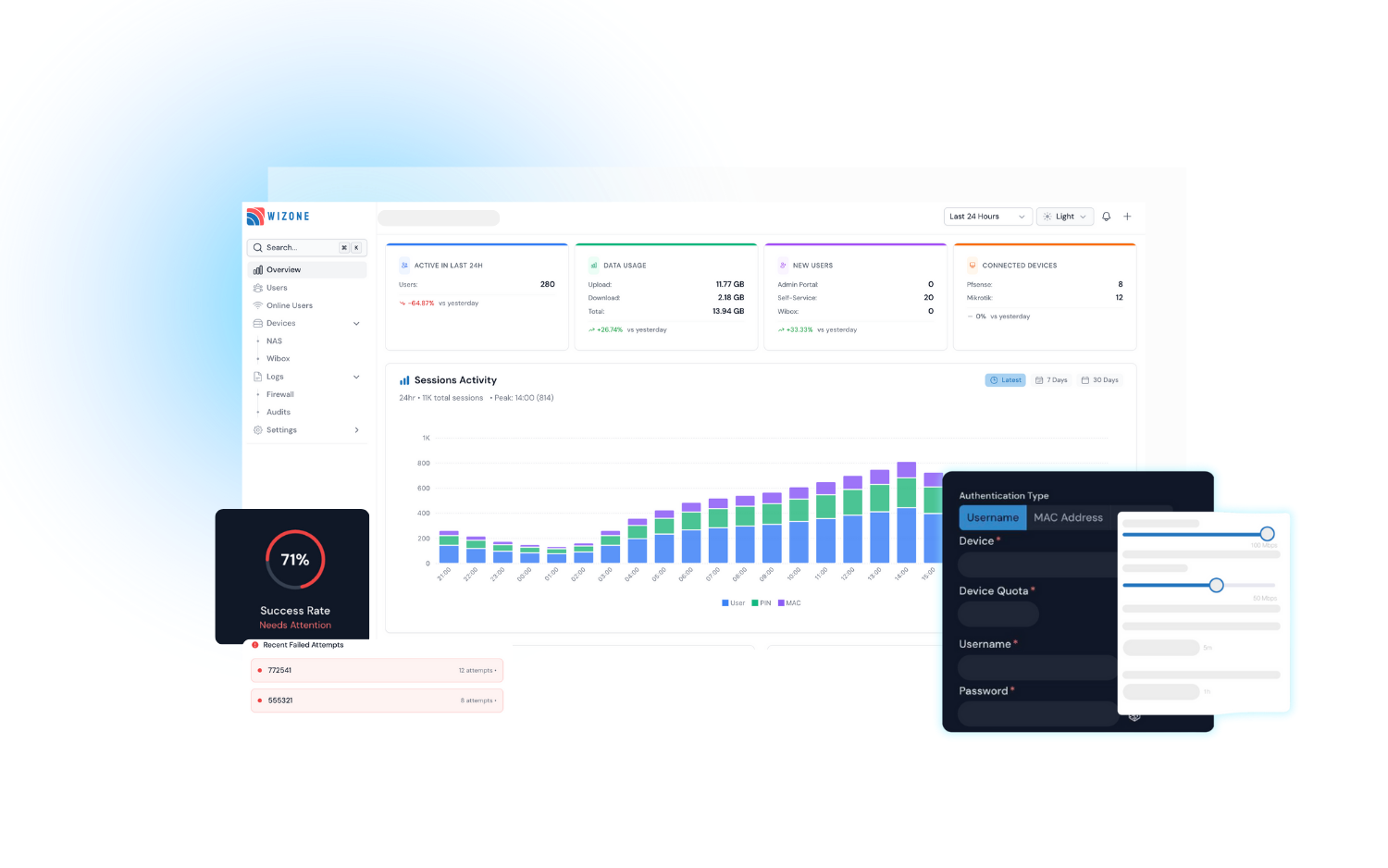
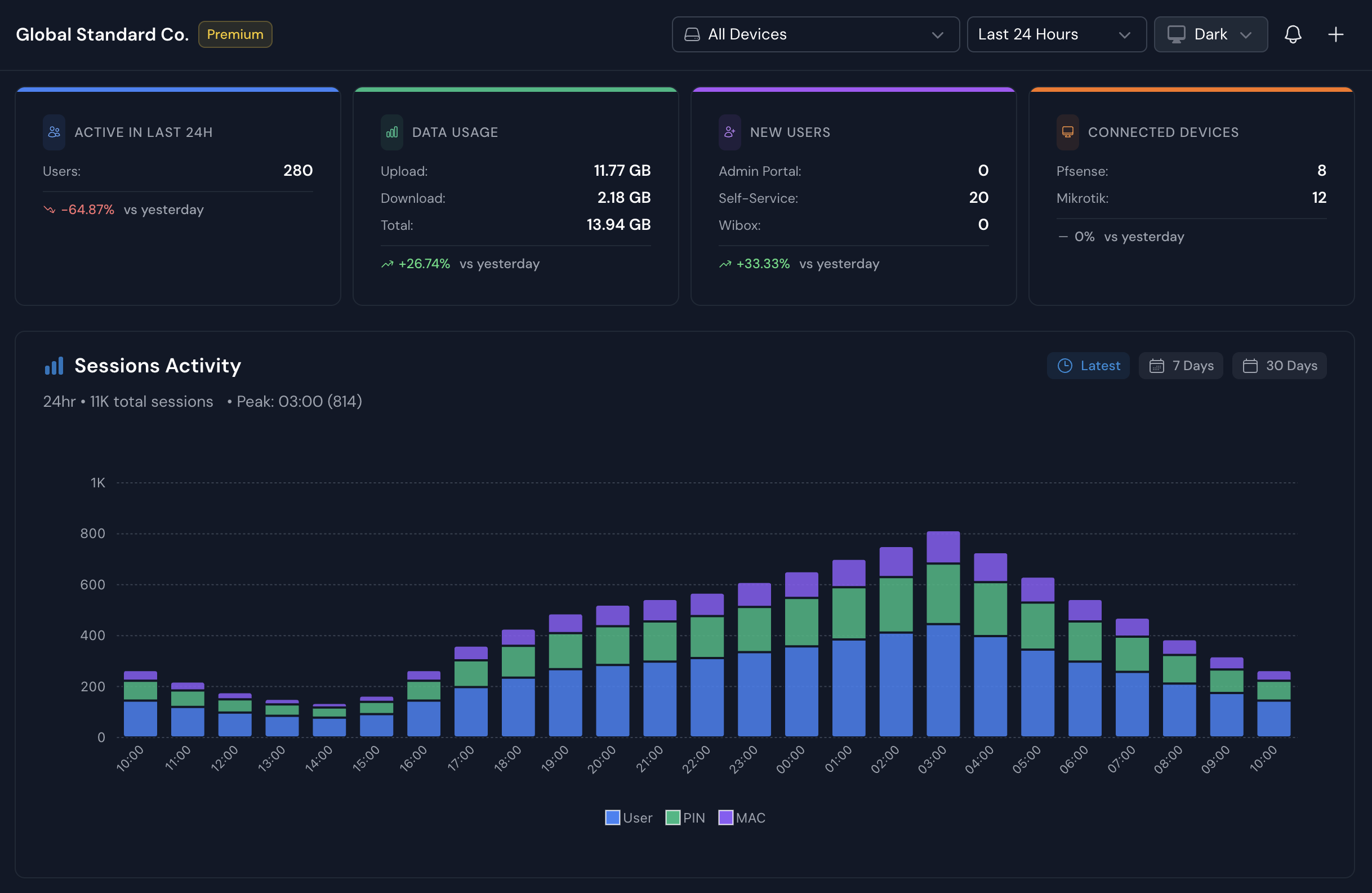
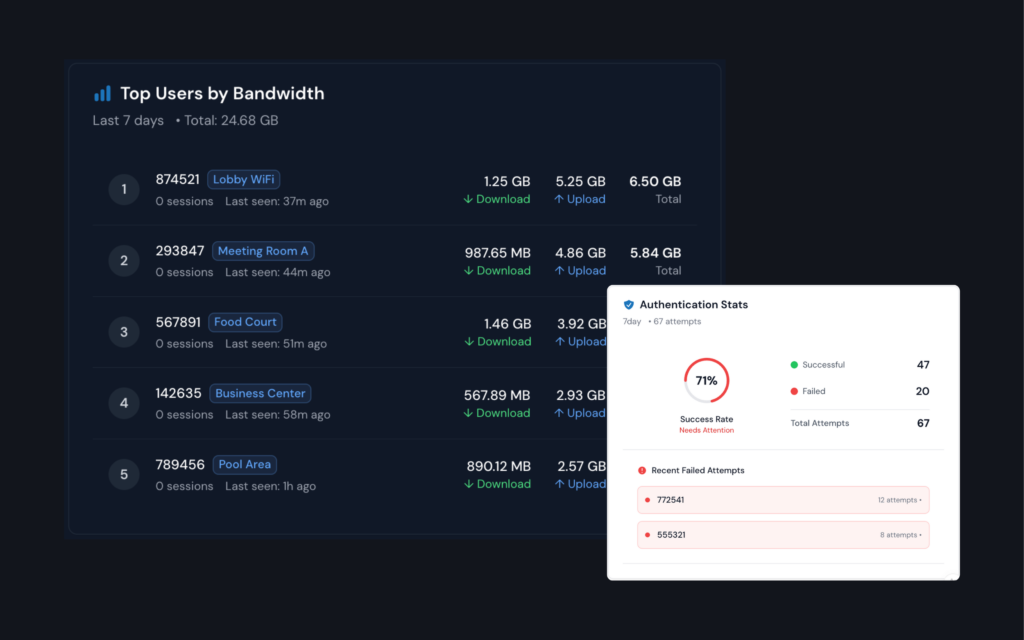
Monitor connectivity status and summarize your WiFi usage overview.
Reduce user setup time by Import User Profile.
Supports CSV bulk imports with data validation and automated configuration for speed, duration, and various usage constraints.
Fast User Provisioning
Customize user profiles with precision.
Bandwidth management, device quotas, and session durations with ease. Supports various authentication types, including Username, MAC Address, and PIN Number.
Audit-ready visibility with comprehensive network logs
WiZone automatically records every connection, action, and system change, giving you a transparent, trustworthy overview of everything happening across your network.
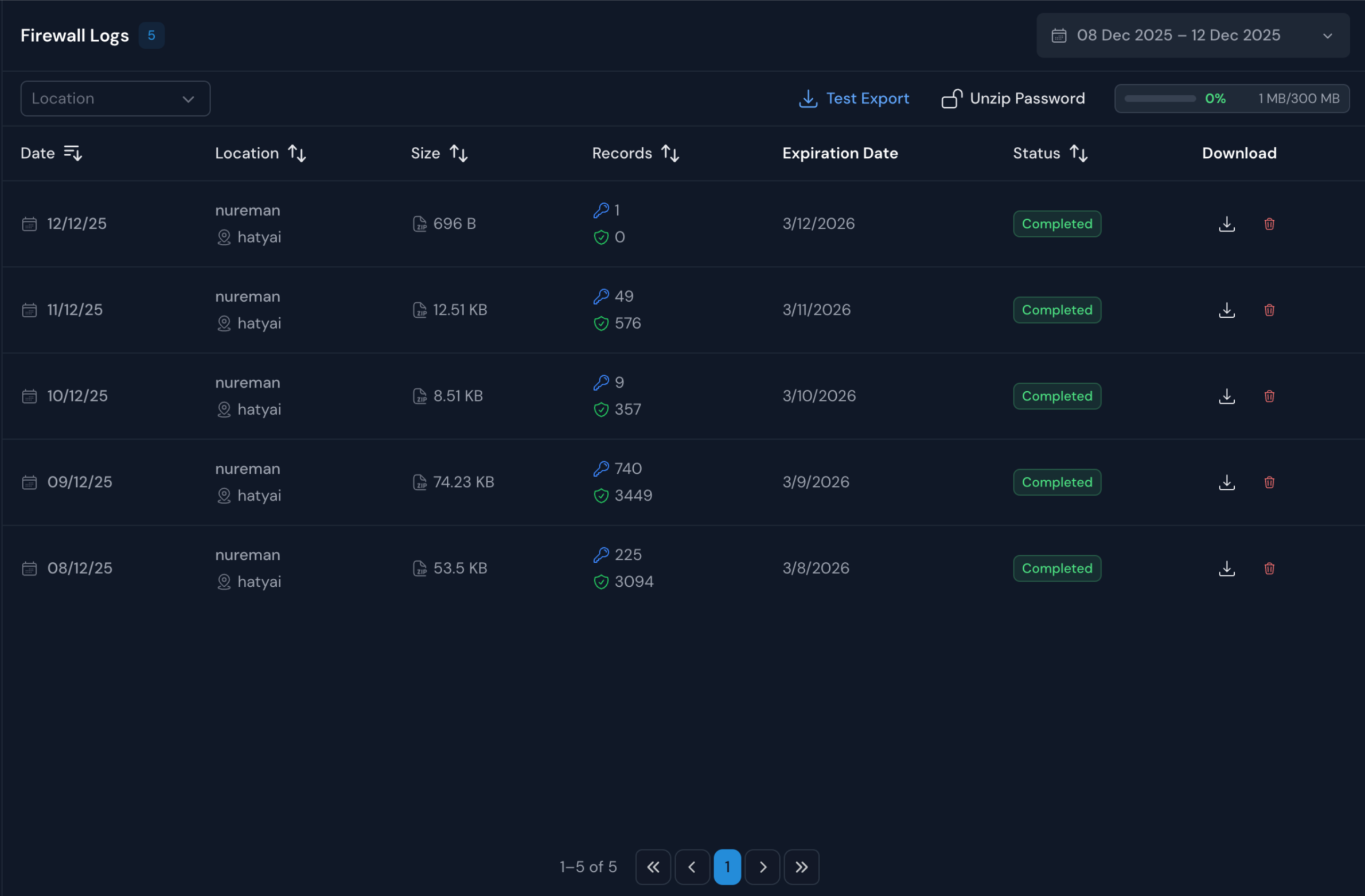
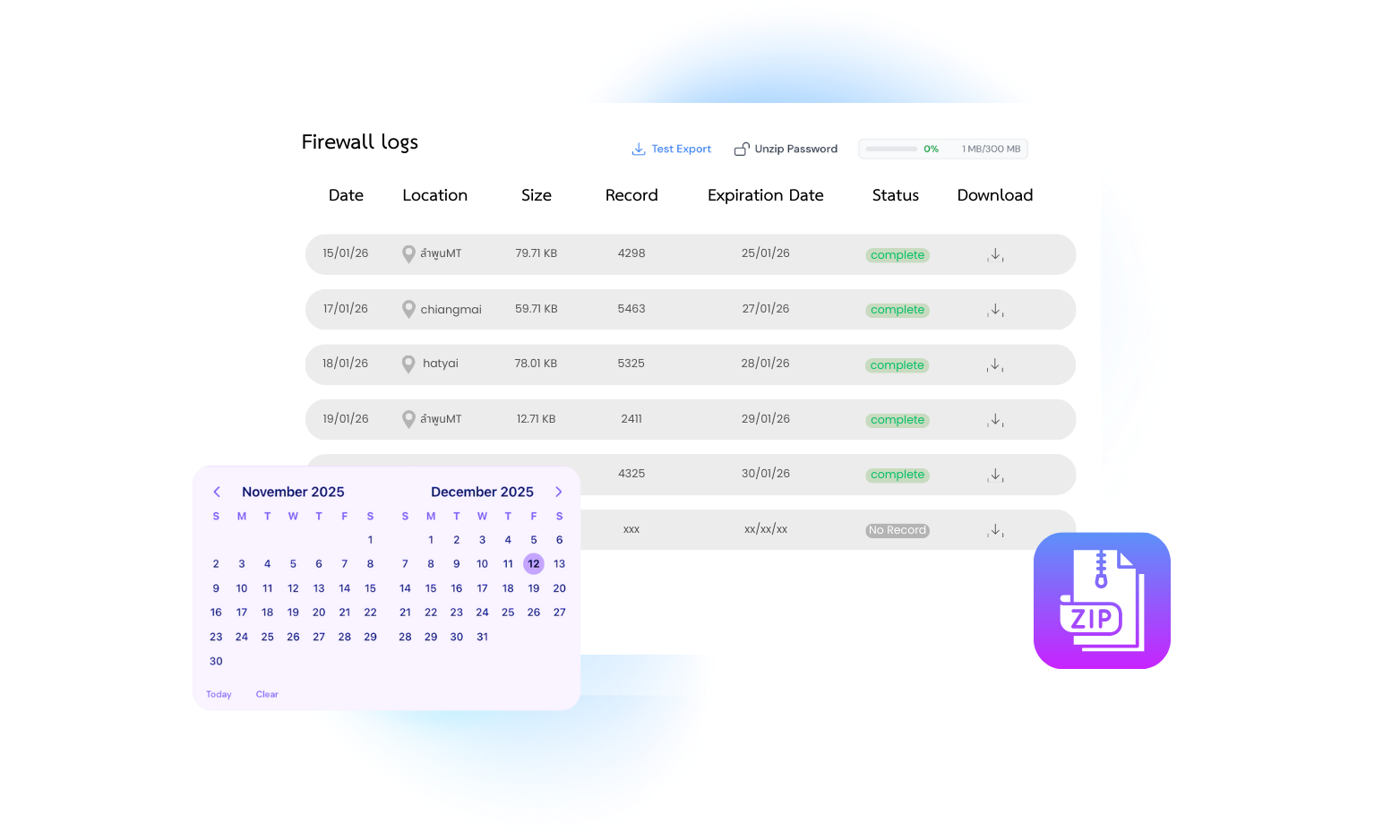
Firewall Logs
See what enters and leaves your network — instantly.
Understand traffic behavior with access logs.
Comprehensive logging of all user connections.
90-day activity history retention. expiration management.
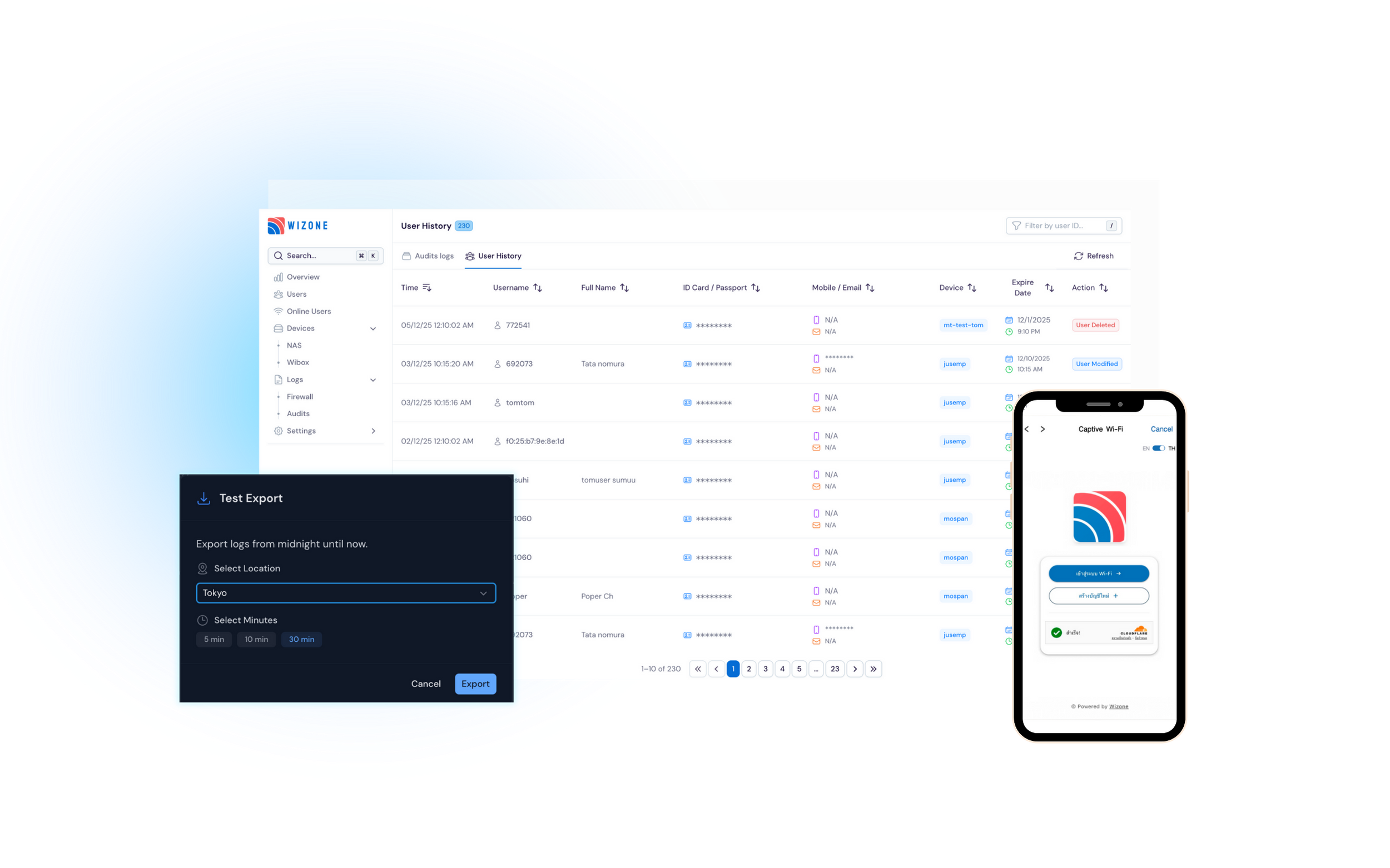
Export logs for any selected date.
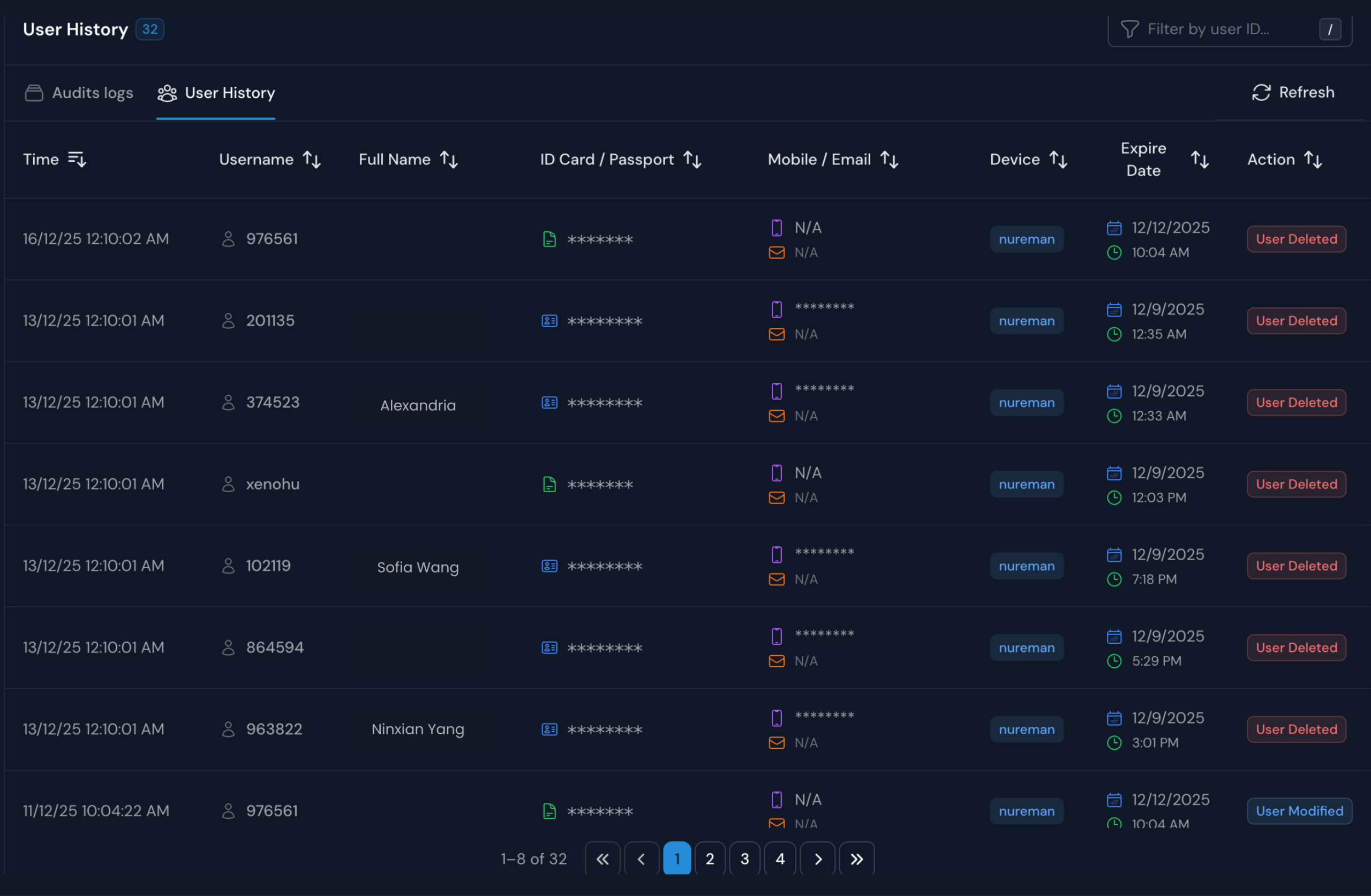
User History
View detailed activity logs for each user, including:
Event timestamps and the devices used for access
Complete identity information (Username, ID/Passport, Phone, Email)
Account status and expiration date tracking
Action logs for every “User Created,” “Modified,” or “Deleted” event
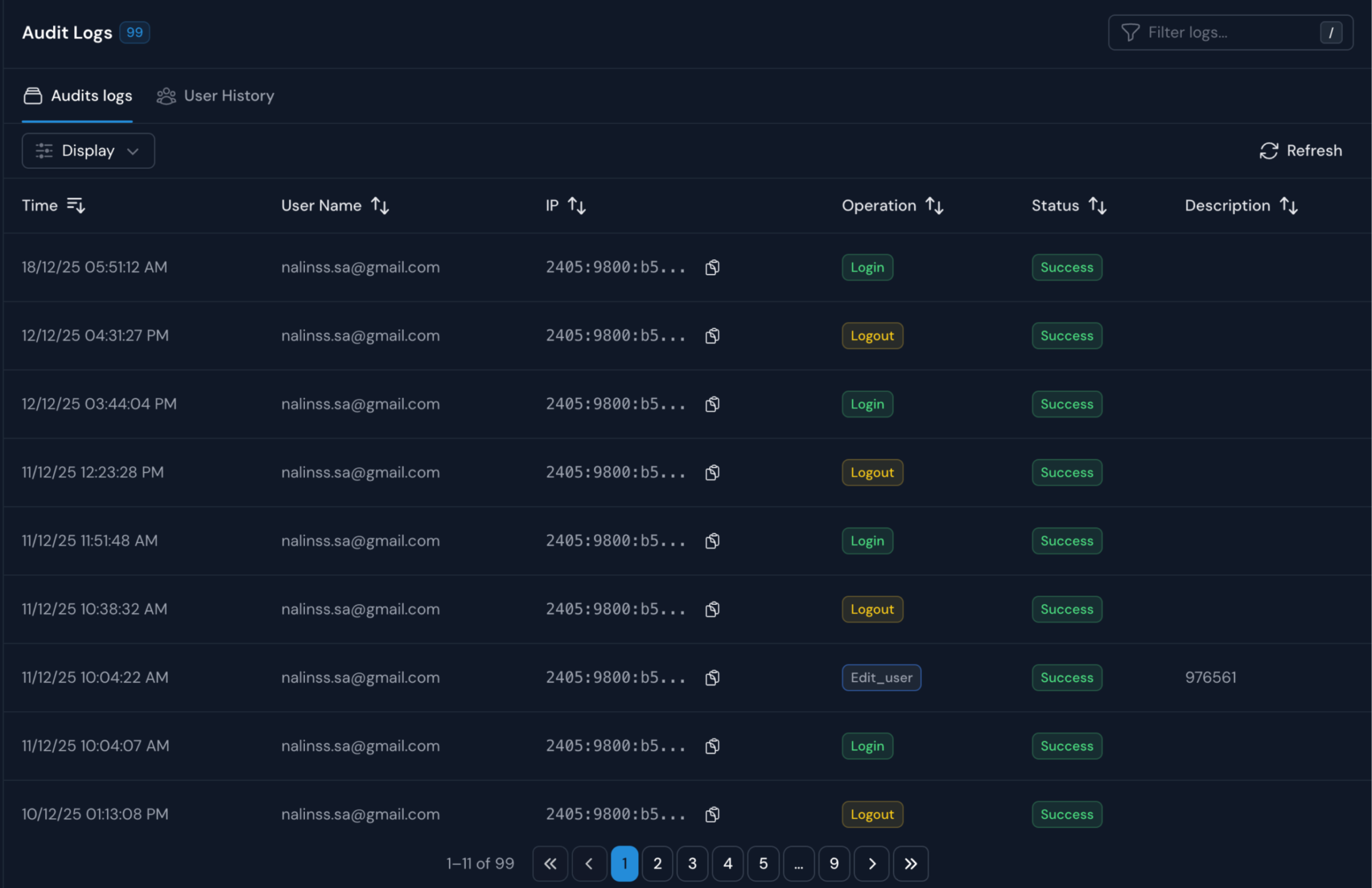
Audits Logs
Track every change made in your system.
Audits provide a verified timeline of who did what, ensuring full accountability.
User Management Actions (account creation, modification, or deletion)
Log every time a device is edited or deleted.
Access Monitoring featuring successful/failed login attempts and source IP tracking
Privacy & PDPA Compliance
WiZone is designed in compliance with PDPA and the Computer Crimes Act, ensuring a secure, transparent, and auditable Wi-Fi experience for your customers.
Minimized Data Collection
Log only essential network data (IP, MAC, Timestamp, Zone) as required by law, without storing private browsing content.
Identity Separation
Log only essential network data (IP, MAC, Timestamp, Zone) as required by law, without storing private browsing content.
Log Integrity & Security
Every log file includes an MD5 checksum to verify data integrity, ensuring records remain unchanged after being logged.
Complete Visibility with WiZone
Whether you’re user access to tracking usage trends, , WiZone provides a clear and reliable summary of your network activity
faster network operations
when all users, devices, and policies are managed in one system.
faster issue detection
faster issue detection with real-time user and traffic monitoring.
fewer security incidents
Identifying suspicious activity before it becomes a problem.
Bring complete visibility into your network operations.
See users, traffic, and system behavior in seconds.
Watch activity update with up-to-date data, switch between the last 24 hours, 7 days, or 30 days, and filter by device to focus on.
Real-time session visibility.
Monitor all session activities from a single view, with the flexibility to focus on specific locations.
Spot issues before they become problems.
Identify High Bandwidth Usage: Quickly see who is consuming the most data.
Monitor Failed Logins: Get clear visibility into failed authentication attempts, allowing you to identify and investigate potential security risks immediately.
Registration successful
Please verify your email to activate your account.
We’ve sent a verification link to your inbox.
Click the link in the email to complete verification.
Link expires in 24 hours
Can’t find it? Check your Spam or Junk folder.
Email already registered
This email address is already associated with an account.
Please try logging in instead.
If you forgot your password, you can reset it from the login page.
Need help? Contact Support for assistance.
Resend activation link
Your activation link is still valid. Would you like us to resend it to your inbox?
Resend Email Activation
Still not receiving it? Check your Spam or Junk folder.